Examples
The beta ships with a series of examples that will help you see what can be currently built with Infinio. These cover simple examples to define single behaviours through to more complete implementations of trees or buildings. Consider the assets as tech demos currently as there are known issues and bugs with them that are still being addressed.
Editing an example saves over it straight away, and there is no undo at the asset level. Select it in the Project window and press Ctrl+D to duplicate into your own folder before you change anything.
Super Simple Examples
The “Super Simple” examples I’ve built convey the basic concepts of Infinio - things like nesting graphs or copying geometry. They are grouped into eleven folders, roughly in the order worth working through them. Created to give working reference points for doing specific things…
- Parameters and Tool-Authoring Basics - The Simplest Graph, Sized Cube, Random Cube, Math Between Wires
- Transforms and Copies - A Simple Copy, Move Rotate Scale, Ring of Copies, Tower
- Shape from Nothing - Blob, Soft Cube, Star Plate, Lathe a Vase
- Deform - Bent Bar, Twisted Column
- Boolean - Window Hole, Rounded Dice
- Scatter - Dots on a Plane, Natural Scatter, Clustered Scatter, Only on Flat Ground
- Splines and Paths - Fence Line, Swept Pipe
- Surface and Appearance - Box-Mapped Crate, Snowline
- Bring Your Own Mesh - Decorate an Import, Sliced Model
- Structure and Generators - Dungeon Floor, First Plant, Voronoi Tiles
- Shipping-facing Concepts - Solid Object, Branching Graph
Each one is a small graph that teaches a single idea, so open them in the graph editor rather than dropping them straight into a scene.
Bookcase
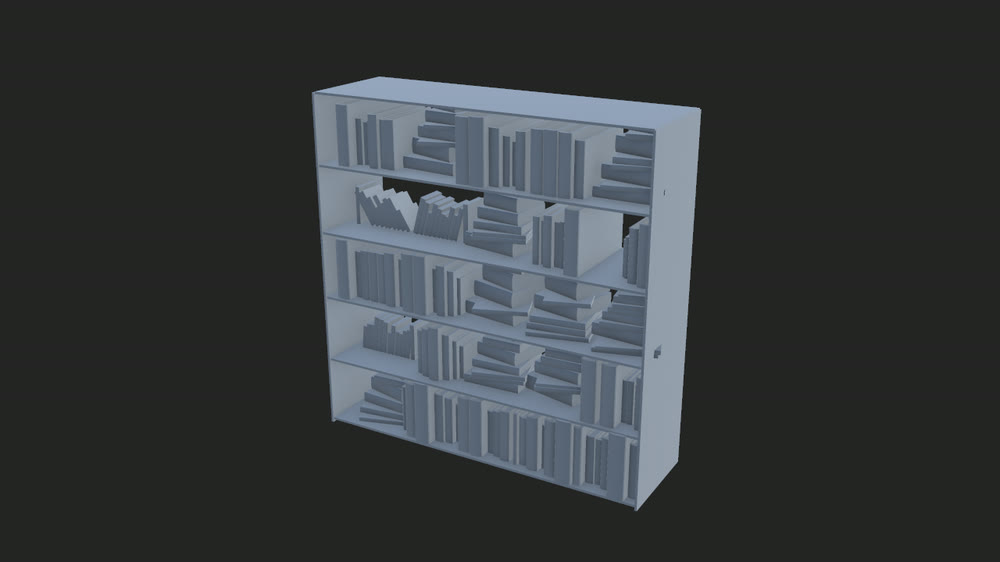
This example shows off a completely generated bookcase, from single books to rows of chaotically stacked tomes on shelves.
Scene: Assets/Infinio/Examples/Bookcase/Bookcase.unity
One thing to try: Adjust the shelf count or book density in the Inspector and watch the shelves fill differently.
Building
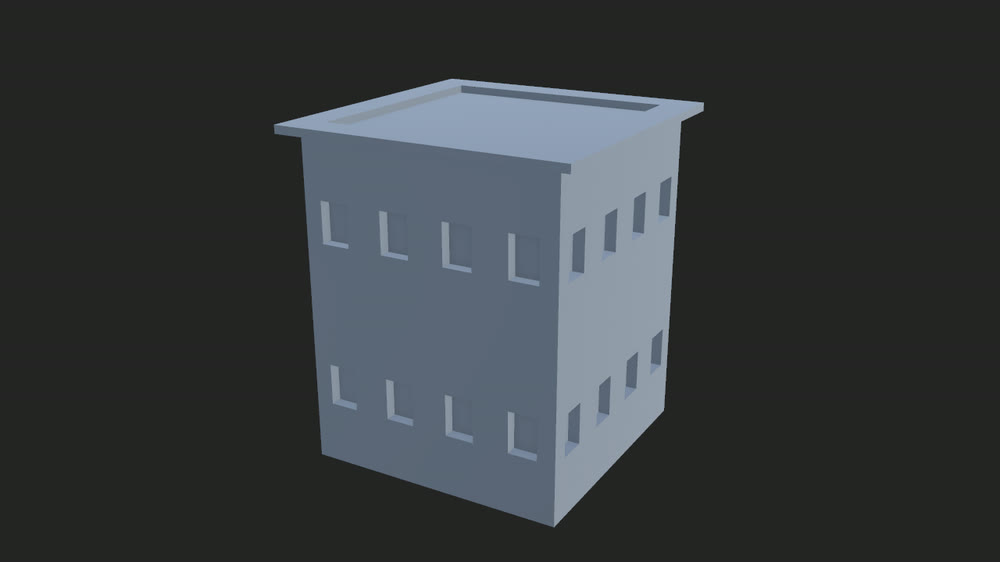
A whole building generated from a footprint you draw in the scene. The outline drives an offset polygon, walls are built along its edges from a wall-unit subgraph, and a flat, hipped or mansard roof caps it off. It is the best example of nesting graphs inside graphs - the building graph calls a wall graph, which calls a wall-unit graph - and of driving a result from a scene handle rather than a slider.
Scene: Assets/Infinio/Examples/Building/Building Example Scene.unity
One thing to try: Drag the footprint handles in the scene to reshape the building outline and see the walls and roof update live.
See Using a tool in the scene for the handle gestures.
Custom Nodes
For node-extension programmers. A code-only example showing how to add your own Burst-compiled
nodes to the graph palette from outside the Infinio assemblies: a scalar filter node
(ScatterProximityFilterNode) and a polygon-output node (SuperformulaShapeNode) that draws
superformula shapes. It covers the Runtime/Editor assembly split, registering the node for both the
editor and player builds, and branding your pack in the palette. The folder’s README.md walks
through copying it into your own pack.
Dungeon
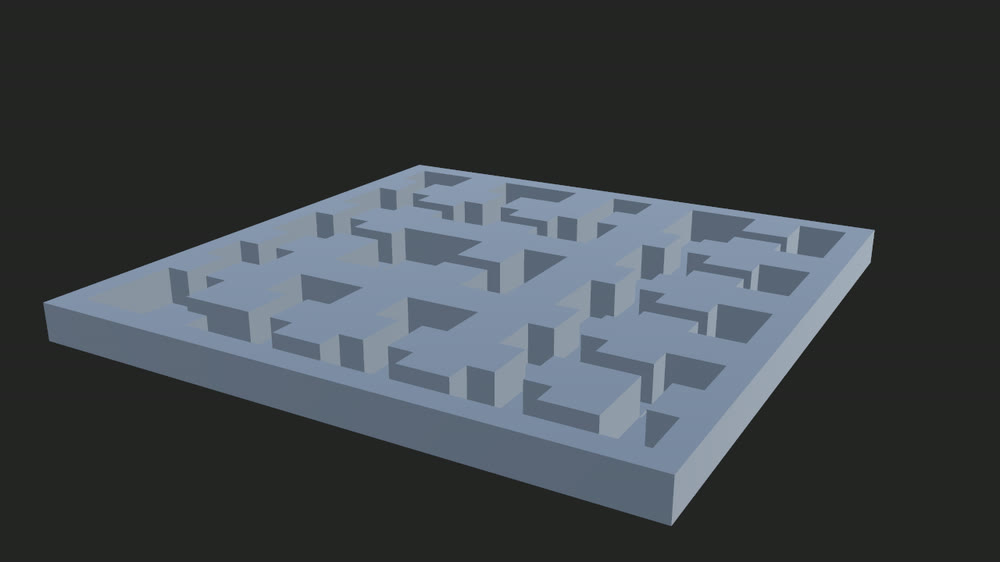
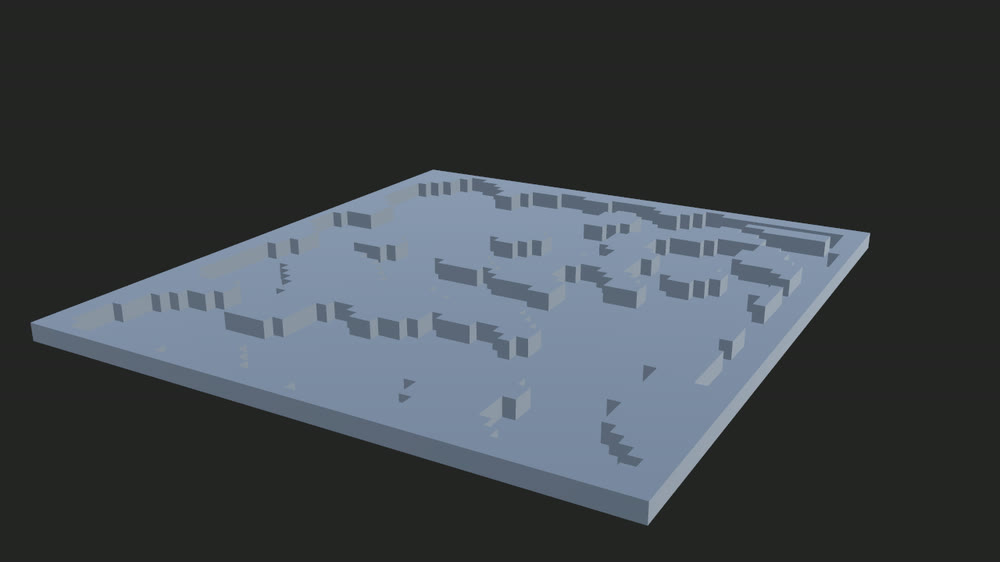
We’ve shipped two basic dungeon generator nodes for the beta - one is a classic rooms and corridors, while the other is a slightly more organic cave space. Demonstrated are the use of categorised spawns which can be filtered.
Scene: Assets/Infinio/Examples/Dungeon/Dungeons.unity
One thing to try: Adjust the room count or room size parameters in the Inspector to scale the dungeon layout up or down.
Palm Tree
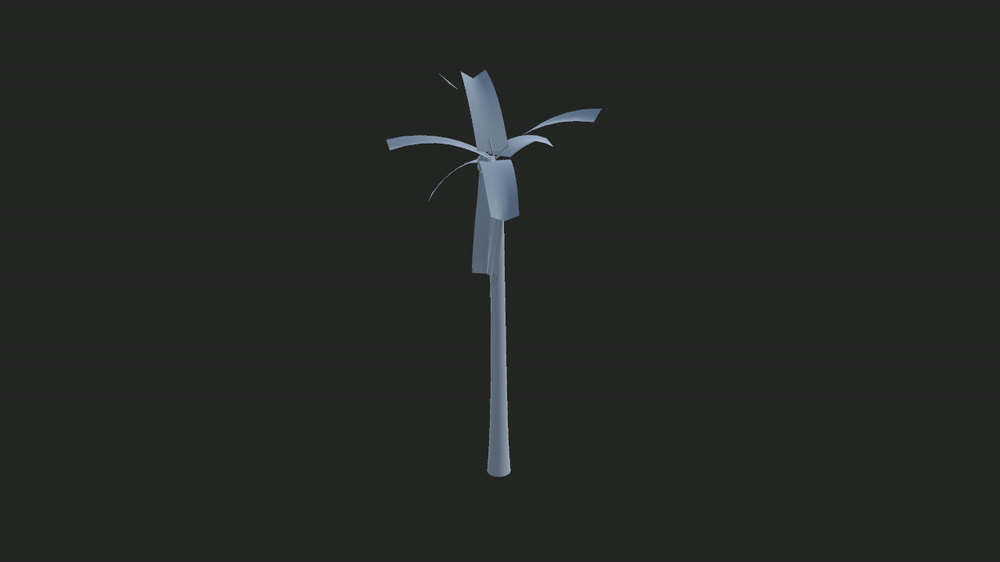
The first complete graph I did with Infinio - this fleshed out a lot of concepts that could be applied to any foliage, like a basic wind system using vertex colours and subgraphs for building complexity A palm tree also afforded me testing out some deform nodes along with complex subgraph and loop behaviour.
Scene: Assets/Infinio/Examples/Palm Tree/Palm Trees.unity
One thing to try: Adjust the trunk height or frond count in the Inspector to change the tree silhouette.
Programmer Quick Start
For game developers rather than tool authors: a small script that drives a graph’s parameter from code every frame.
Scene: Assets/Infinio/Examples/ProgrammerQuickStart/Programmer Example.unity
Walkthrough: the Programmer Quick Start page takes you through it step by step: what you should see, what each line of the script does, and how to point it at another graph.
Rock
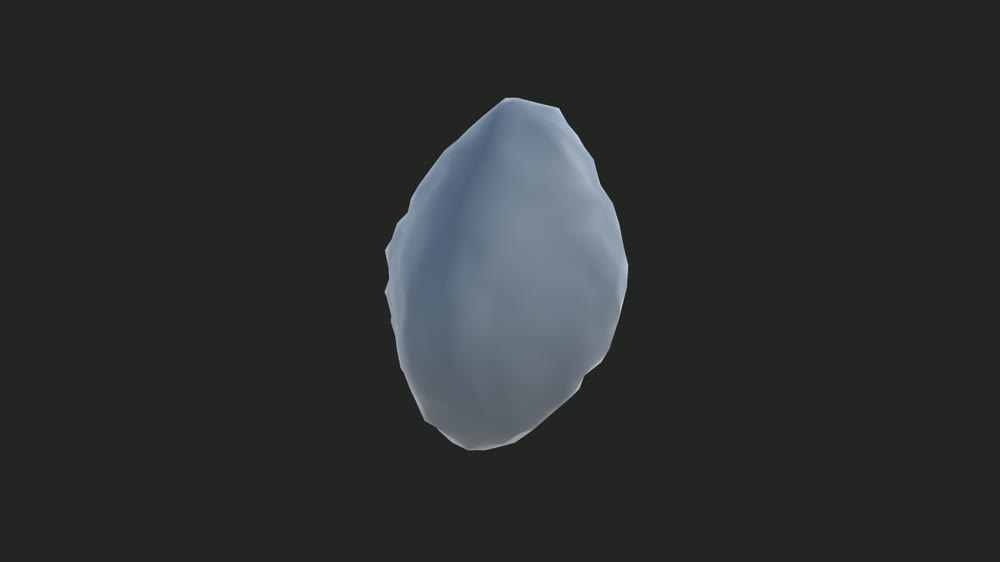
Kind of stupidly simple but shows some basic use of deform nodes to create various rock shapes from a single graph.
Scene: Assets/Infinio/Examples/Rock/Rock.unity
One thing to try: Change the seed value in the Inspector to cycle through different rock shapes, or adjust the noise scale for rougher or smoother results.
Rope Bridge
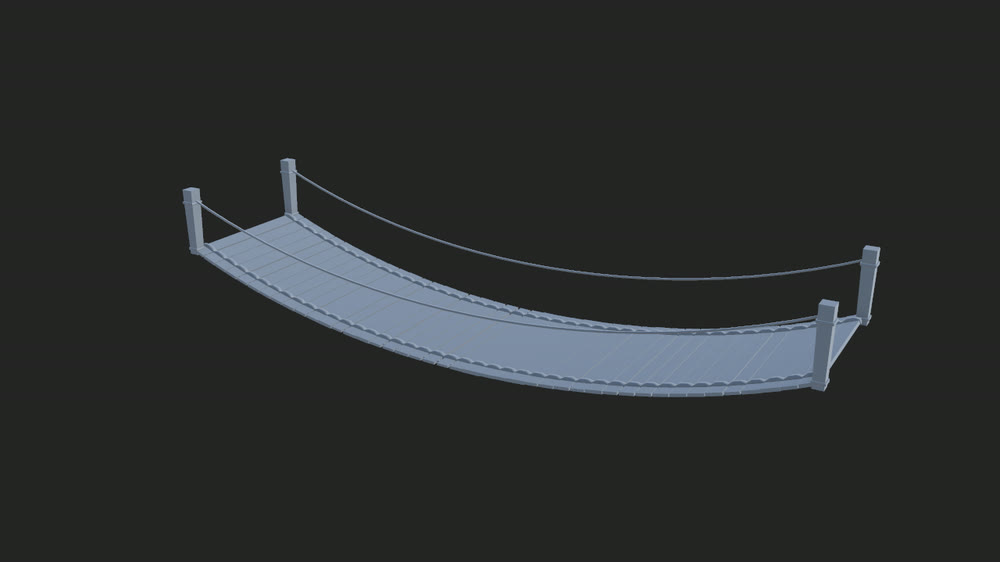
The rope bridge was an aim to create a simple, in scene editor for generating a rope bridge.
This tool allows you to specify the start and end points, along with the sagginess and width of the bridge for a level designer in the editor.
It is also possible to generate this at runtime by assigning these through code. See the Programmer Quick Start for the Set and TryEvaluate pattern; the parameters to drive are the start point, end point, sag and width.
There is a stretch goal of adding damage to this bridge so that it can be missing or have damaged planks - giving further life to the result.
Scene: Assets/Infinio/Examples/Rope Bridge/Rope Bridge.unity
One thing to try: Drag the start or end point handle in the scene to reposition the bridge span, or adjust the sag parameter in the Inspector to change how much it droops.
See Using a tool in the scene for the handle gestures.
Stairs
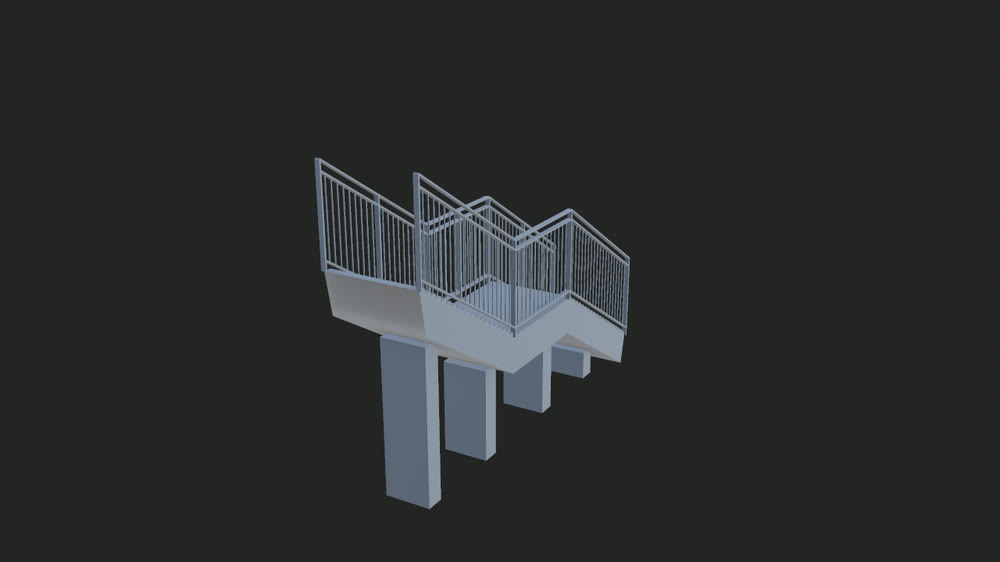
The “Stair from Spline” node has been built with the idea to deal with most stair use cases in level design. We can allow a designer to plot out a spline in scene and a staircase will be generated from this path. The style I decided on was a traditional pedestrian walkway with metal railings - the paths of which are generated from offset paths from the main staircase.
Scene: Assets/Infinio/Examples/Stairs/Stairs.unity
One thing to try: Drag the spline control points in the scene to reroute the stair path, or adjust the step width and rise in the Inspector.
See Using a tool in the scene for the handle gestures.
Wall
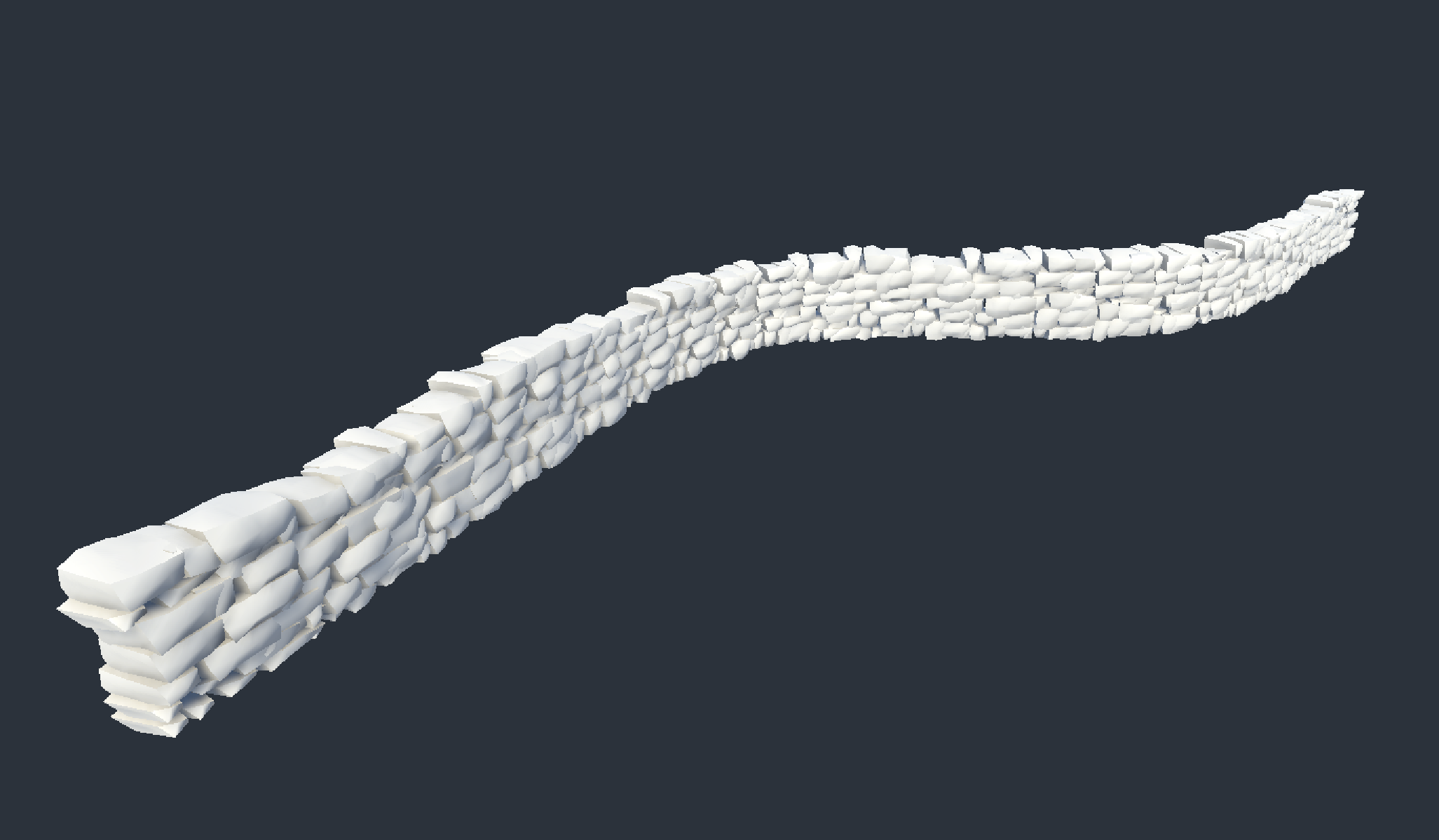
A stone wall that follows a path you draw in the scene. The wall is built from three graphs: Stone Wall lays segments along the path, Stone Wall Segment builds each run of stones, and Stone Wall Stone shapes a single stone.
Scene: Assets/Infinio/Examples/Wall/Wall.unity
One thing to try: Drag the path handles in the scene to reroute the wall, or raise the Detail parameter in the Inspector for finer stones.